
Godot GMTK 2026

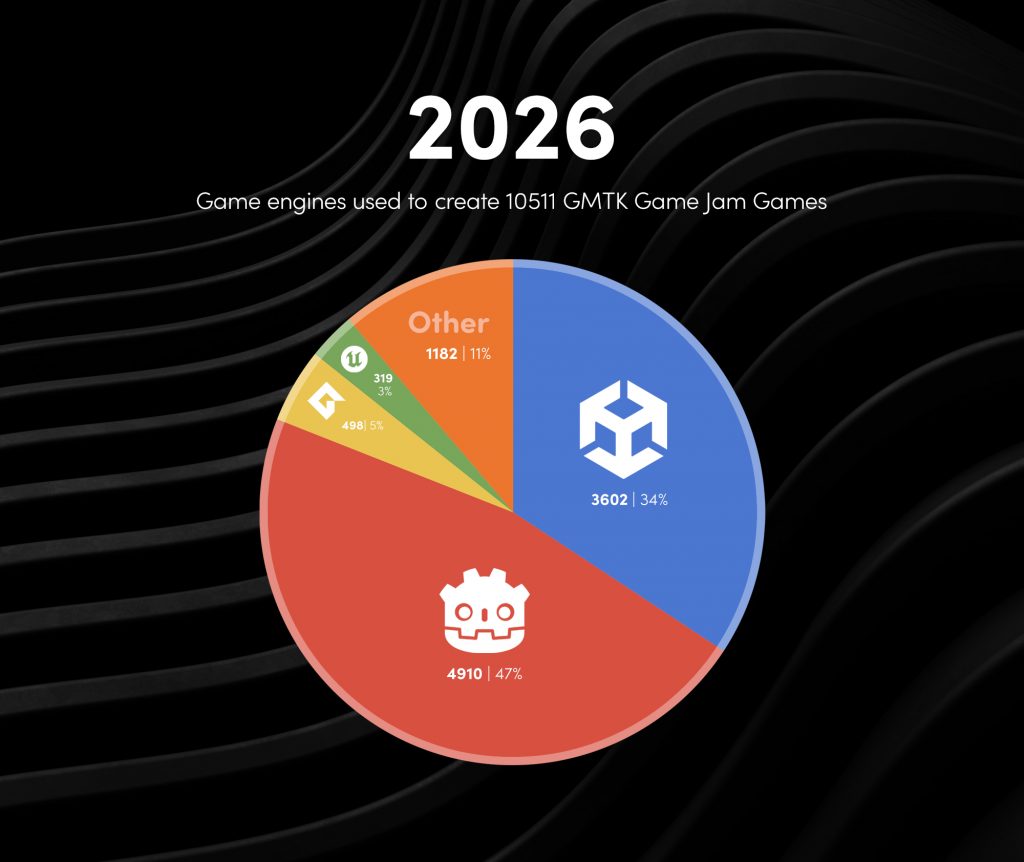
Two years ago, I wrote an article on Patreon about the annual GMTK GameJam. Title was “GMTK GameJam 2024 – Godot is now everywhere!”

“The free, open-source game engine Godot managed to climb from 19% to 37% in 2024, thus challenging the long-standing market leader, Unity”.

This year, 2026, however, was simply indescribable 🔥

Godot Engine not only overtook Unity, but did so with 47% compared to Unity’s 34%. Wow!

Some thoughts on my (free) Patreon:
👉 https://www.patreon.com/pixeltrain3d/posts/gmtk-gamejam-is-165243666?utm_medium=clipboard_copy&utm_source=copyLink&utm_campaign=postshare_creator&utm_content=join_link

Have fun!
Helge

P.S. Want to learn Godot? I offer remote training for companies and freelancers (www.pixeltrain.net).
You can find tutorials and publications on my Patreon.

Blender Kurse 2026 mit Helge Maus - pixeltrain

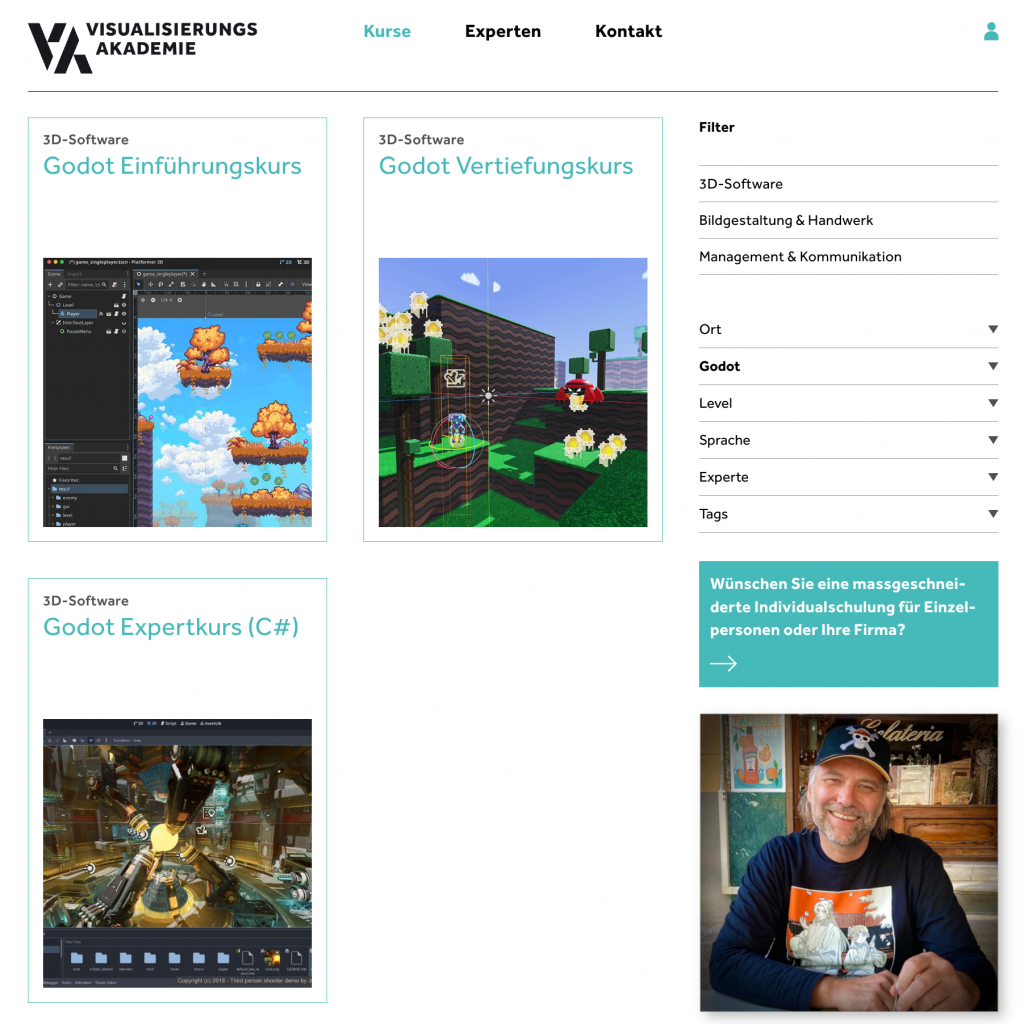
🇩🇪  Mein nächstes Blender Modelling Training (remote / in Deutsch) findet am 13. & 14. August 2026 in Zusammenarbeit mit der Visualisierungs-Akademie Schweiz GmbH statt.

https://visualisierungs-akademie.ch/de/kurse?software=b45db5db-1c20-4778-88f1-23f4753a12f9
In diesem 2-tägigen Online-Training lernst Du die leistungsstarken Polygon-Modelling Tools in Blender für das Erstellen von Hardsurface Modellen kennen. Zudem tauchen wir in die Welt der Modifier ein und lernen, ausgehend von Referenzen, verschiedene Typen von 3D-Modellen mit unterschiedlichen Techniken umzusetzen, saubere UVs zu erzeugen und wie ein Low- / High-Poly Workflow funktioniert.

Auch schauen wir uns die umfangreiche Blender Sculpting-Umgebung für das Hinzufügen von lebensnahen Details an und “baken” diese dann als Normal-Maps für den Texturing-Workflow heraus.

Blender ist ein ideales Tool für das Erzeugen von 3D Modellen für Games, VFX und Architektur.

Ich freue mich auf Euch,
Helge

P.S. Mehr Informationen über Blender for Production oder Godot Game Development findest Du auf meinem Patreon:
https://www.patreon.com/c/pixeltrain3d/posts

🇬🇧 My next Blender Modeling Training (remote / in German) will take place on August 13th & 14th, 2026, in cooperation with the Visualization Academy Switzerland GmbH.

https://visualisierungs-akademie.ch/de/kurse?software=b45db5db-1c20-4778-88f1-23f4753a12f9
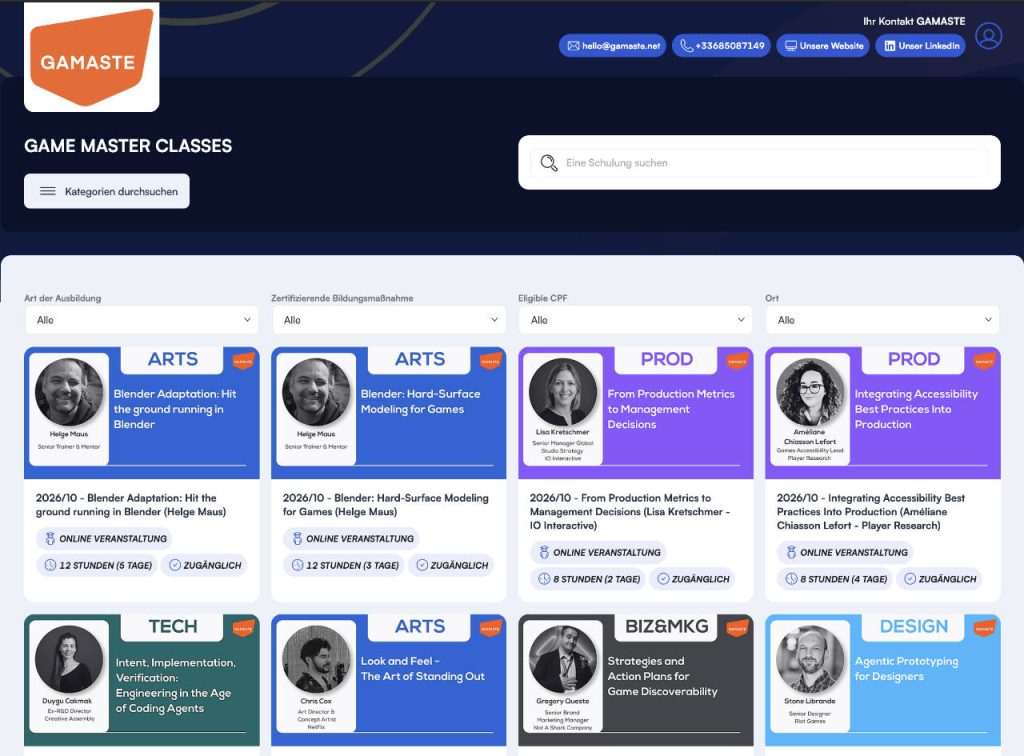
In this two-day online training, you will learn everything about Blender’s powerful polygon modeling tools for creating hard-surface models. We will also delve into the world of modifiers and learn how to implement various types of 3D models using different techniques, starting with references, creating clean UVs, and how a low-poly/high-poly workflow works.

We will also explore Blender’s powerful sculpting environment for adding lifelike details and then bake these as normal maps for the texturing workflow.

Blender is an ideal tool for creating 3D models for games, VFX, and architecture.

I look forward to seeing you there,
Helge

P.S. More information about Blender for Production oder Godot Game Development? Visit my Patreon:
https://www.patreon.com/c/pixeltrain3d/posts

Godot Engine Community Poll 2026

It’s that time of year again – the annual Godot Engine Community Poll is online:
👉 https://godotengine.org/article/godot-community-poll-2026/

Especially in a community-driven project like the open-source Godot Engine, it’s crucial to understand the user groups, their needs, and the challenges they face. Regardless of whether they work on AAA games, indie games, or as hobbyists. Or even outside of games themselves …

Only then can the developers and, of course, the maintainers make the right decisions how to further develop this project in the most effective and community-friendly way possible. Furthermore, it allows us all to identify trends in user behavior, technologies, and applications.

Therefore, it’s important that as many Godot Engine users as possible participate in this (anonymous) survey.

And for those who would like to see how the users and the use of the Godot Engine have evolved over the past few years, you can find the analyses for previous years here.

GODOT Community Poll 2025
👉 https://docs.google.com/forms/d/e/1FAIpQLScKWGJoLEeNW1qrsDfZRfk7gHultapacH5ZhQmo9XRZADW1IQ/viewanalytics

GODOT Community Poll 2024
👉 https://docs.google.com/forms/d/1eicOppRQG2RFZ8CjIGFf5Kha5yklO854fV8-YFtlWxk/viewanalytics 

GODOT Community Poll 2023
👉 https://docs.google.com/forms/d/e/1FAIpQLSeXRE1nF64PUilO6fA7Pevh2lWukJtpdBvc2_A3fGfuciy-gQ/viewanalytics

Have fun,

Helge

P.S. More news about “Blender for Production” and “Godot Game Development for Indies” on my (free) Patreon:
https://patreon.com/pixeltrain3d?utm_medium=unknown&utm_source=join_link&utm_campaign=creatorshare_creator&utm_content=copyLink

The screenshot is from the game Stackflow - A game by Cauê Ferrareto

Just one month after the release of Godot 4.7, the development team has now released the first maintenance release with more than 78 fixes and improvements: Godot 4.7.1. This will make project work more stable and is therefore recommended for all 4.7 projects.

Work on the next release, Godot 4.8, is progressing in parallel rapidly.

As always, the versions for GDScript, C# Mono, and the export templates can be downloaded directly here:
https://godotengine.org/article/maintenance-release-godot-4-7-1

Thanks to all the developers, testers, and of course, everyone who supports this great project.

P.S.: The screenshot is from the game Stackflow – A game by Cauê Ferrareto

Godot CSharp tutorial by Helge Maus / pixeltrain

Today I’ve published my first tutorial of my new series “C# Development in Godot Game Engine” on my Patreon:

👉 https://www.patreon.com/posts/first-c-in-godot-160421061?utm_medium=clipboard_copy&utm_source=copyLink&utm_campaign=postshare_creator&utm_content=join_link

In this tutorial, I explain how to set up an working development environment for Game Development with Godot Engine and the C# programming language.

Have fun,

Helge

Helge Maus May 2026

May 2026 & beyond!

Dear Followers,

A creative break of almost a month, combined with a tour through three countries – that’s how Karin and I spent this years May.

I visited my “old homeland” in the Westerwald region of Germany, we traveled along the Rhine, then we went to Graz in Austria to visit family and dear friends.

We experienced buzzing city life and the green Styrian countryside.

To top it all off, we treated ourselves to a week’s beach vacation in Bibione (Italy) before the holiday season started.

It was an exhausting but also very joyful and inspiring time, which we spent together with Bailey and Mickey in various locations and Airbnbs.

Now I’m back in office and I also have some new stuff coming shortly:
First of all the DevLog#3, but also some tutorial capturing is planed for the near future.

I will release these tutorials mainly on Patreon:
https://www.patreon.com/c/pixeltrain3d

Enjoy!

Helge, Karin, Bailey, and Mickey

Material Maker 1.6

In January I wrote an article about Material Maker on my Patreon.

This application is a free open-source solution to generate procedural materials (and even animated ones ) for 3D and games, making it a good alternative to commercial solutions like Adobe Substance Designer or InstaMat Studio.

My (free) Patreon article:
👉 https://www.patreon.com/posts/material-maker-1-156071426?utm_medium=clipboard_copy&utm_source=copyLink&utm_campaign=postshare_creator&utm_content=join_link

Now the new version Material Maker 1.6 was released:
👉 https://rodzilla.itch.io/material-maker/devlog/1491329/material-maker-16

Have fun!
Helge

#opensource #foss #indie #indiedev #indiegame #pixeltrain #helgemaus

Splash Blender 5.1

The motto “Performance meets stability in Blender 5.1“” is the headline over this new release.

After the major rebuilds (and the sometimes painful clear-cutting) for the jump from Blender 4.5 to Blender 5.0, the developers have now taken the necessary time to stabilize this work and make it more production-ready again, removing existing obstacles.

At the same time, a lot of emphasis was placed on performance, which can now be felt in many areas of Blender 5.1. That’s always a great thing!

However, that does not mean that some welcome innovations have also arrived in this release.

There are some exciting goodies, especially in the areas of Grease Pencil, Geometry Nodes, Video Sequence Editor and Sculpting:-)

However, for anyone who has to stay on Blender 4.5 LTS due to the increased and changed hardware requirements, there is nothing in my opinion that would force a direct update.

Here is the link to the official feature list:
https://www.blender.org/download/releases/5-1/


My picks for some Blender 5.1 overview videos

As always there are also some informative overview videos on YouTube:

What’s New in Blender 5.1! Official Overview by CGCookie

Blender 5.1 Features in LESS THAN FIVE MINUTES! By SouthernShotty

Blender 5.1, Five simple quality of life improvements by Christopher3D

Blender 5.1: NEW Rigging and Animation Features by CGDive

I hope you like, what you see 🙂

Learn Blender with me!

I would also like to point out my Blender online training. You can find my German-language courses here:
https://visualisierungs-akademie.ch/de/kurse?software=b45db5db-1c20-4778-88f1-23f4753a12f9
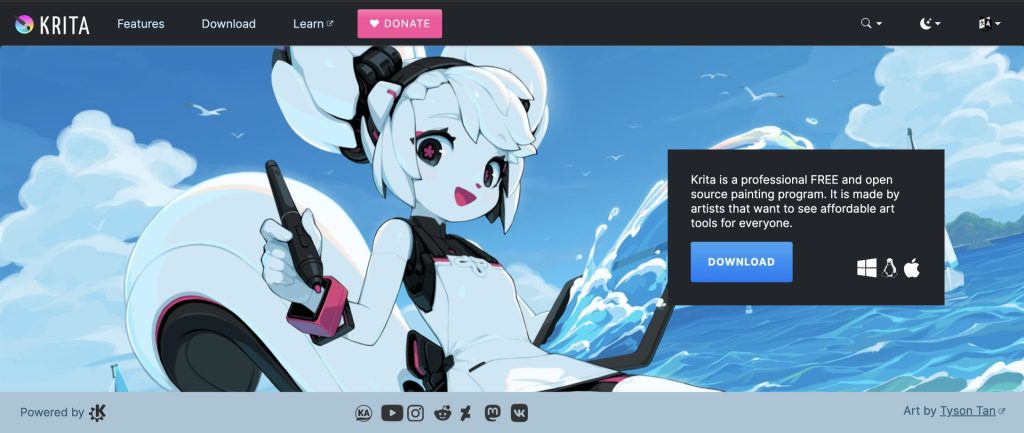
If you are looking for the same topics in English, please contact me (info (at) pixeltrain.net )!

Have fun!

Helge

UCU Painter for Blender

Especially when texturing stylized NPR assets for games or animations, the comfortable painting of textures for 3D objects is necessary. For this purpose, several commercial applications such as Substance Painter, 3DCoat or InstaMAT are available externally from Blender.

However, for my own workflow for animations and games, I have been using a free Blender Extension called “UCU-Paint by ucupumar” for some time.

This amazing add-on allows me to work directly in Blender. In the background, this extension creates a standard node-based Blender shading tree and can even work with my own shaders or external textures for a PBR workflow.

This extension can be easily installed in Blender under „Preference → Get Extensions“.

https://extensions.blender.org/add-ons/ucupaint/?utm_source=blender-4.5.7-lts

Here are some of the features:

  • Stack images, vertex attributes, generated textures, or many other types into layers and masks.
  • All Ucupaint nodes are contained inside a single node group and can be connected to any other nodes.
  • Channels in Ucupaint are flexible, add or remove them based on your needs.
  • You can add modifiers like a color ramp or math operation for quick adjustments.
  • Works well with multiple objects using the same material.
  • Decal support
  • Ability to load images from asset browser or file browser
  • UDIM is detected automatically based on UV islands.
  • Bake final channel images and easily arrange them so most exporters can read them.
  • Dedicated alpha channel for flexible transparency workflow
  • Bake AO, multires, other object’s normal, and more.
  • You can add drivers or keyframes to most Ucupaint inputs.
  • Support realtime displacement and even vector displacement map.
  • Preview mode to check your layers or channel colors.
  • Pack baked channel results into a single image using a custom bake target (useful for creating ORM texture or DirectX normal).
  • And so much more.

If you want to learn more about the features and workflows:

https://www.youtube.com/@ucupumar/videos

Version 2.4.5 was released yesterday, which, in addition to some bug fixes, now offers the option to paint custom Normals directly. A frequently used technique, especially for anime-styled characters.

Have fun painting in Blender

Helge

Image from „Horripilant - A game by Pas Game“

Godot Engine 4.7 Dev 2

Only recently, at the end of January 2026, the new stable version Godot 4.6 was released.

With this release and the first bugfix patch shortly afterwards in mid-February, the development of Godot 4.7 is now progressing in great strides.

Today the second Godot 4.7 Dev2 was released.

So if you want to look into the future and directly dive into some new features, you can find builds for the various platforms here:

👉 https://godotengine.org/download/archive/4.7-dev2/

Some of the highlights so far:

  • Add support for copy/paste of section/category properties
  • Use monospaced font for code names in UI
  • Collapse groups in animation track editor
  • Support HDR output for Apple
  • Add a scene painter tool for 2D
  • Bult-in VirtualJoystick for mobile games (Joypad controls)
  • Drawable Textures
  • Enable Path3D collider snapping
  • and much more

Image from „Horripilant – A game by Pas Game“